
Your first demo session in five minutes
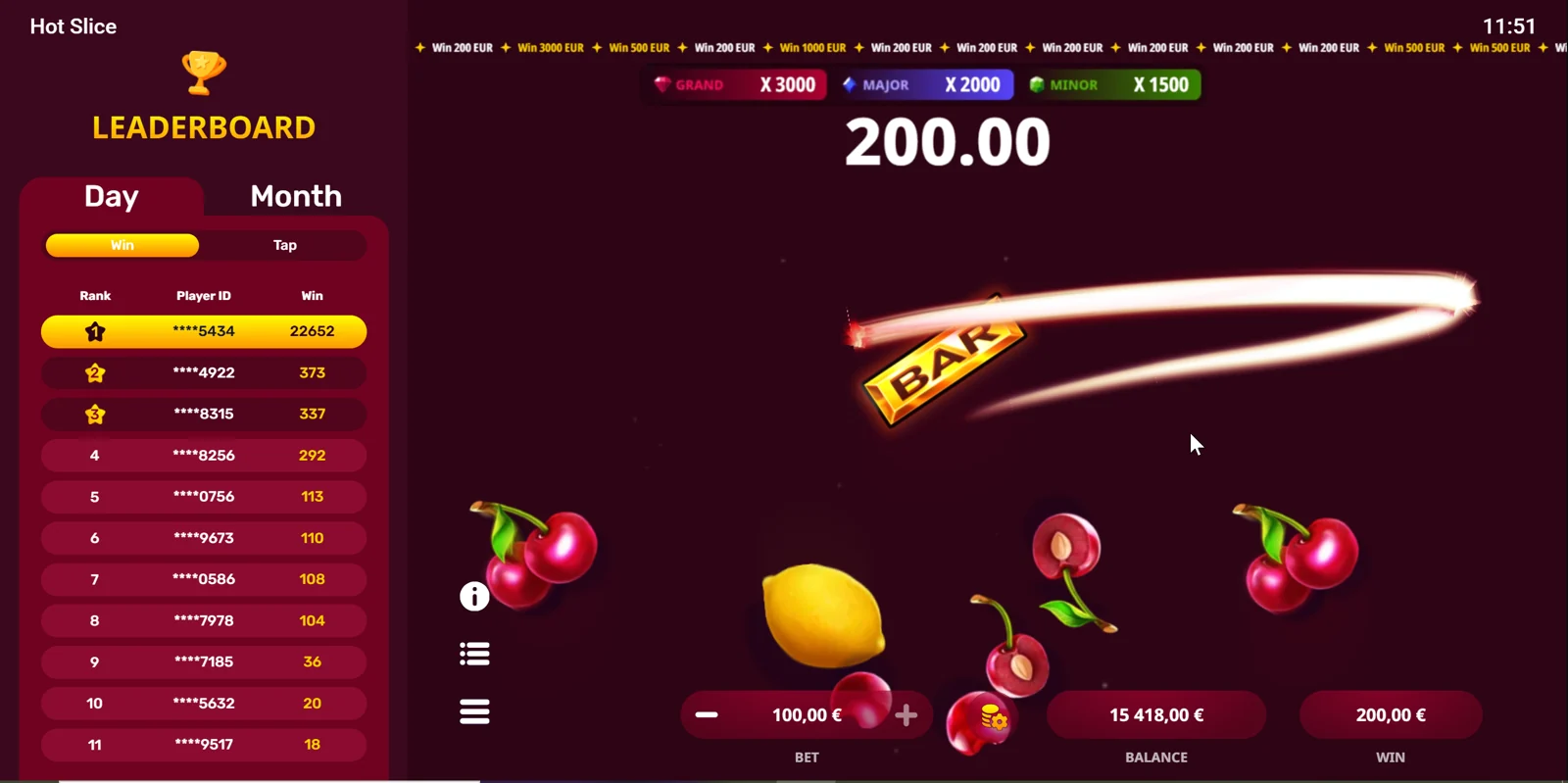
The Hot Slice demo lets you explore the mechanics without using a real-money account on this website. Start with what a screenshot cannot show: how quickly a tap responds, where the result appears and how the balance changes after each action. You do not need to chain dozens of slices to understand it.
Press “Try the free demo” in the module above. The page then opens the provider’s demonstration inside the frame. You can enlarge it, close it or use the link to another tab if your browser limits embedded content. Until you press the button, we do not load the remote game.
-
Locate the virtual balance
Mentally note the starting figure. The demo may show a currency, but that balance remains fictitious and has no withdrawal value .
-
Select a small bet within the demo
Do not use the starting amount as a reference for a future real account. The demonstration is for understanding how it works.
-
Make three or four separate taps
Wait to see each result and check the history. This helps distinguish the bet charge from the credit of a possible prize.
-
Compare a tap with a swipe
Observe whether the gesture crosses several symbols and how many actions it records. Do not treat a continuous path as a single bet.
-
Open help and finish the trial
Review symbols, screen options and special-feature terms. Close the module when you understand the controls.
Demo and real money: what changes for you
| Aspect | Demo | Real money |
|---|---|---|
| Balance | Virtual credits with no monetary value | Funds subject to the operator’s terms |
| Registration on this website | We do not ask for an account to open the module | Registration and verification belong to the casino |
| Deposits | No deposit is needed to use this module | Check the operator’s cashier |
| Payouts | Help you learn about the game | May affect the real balance according to the rules |
| Withdrawals | You cannot withdraw demonstration credits | Depend on available balance, KYC and terms |
| Purpose | Learn controls and read help | Bet money you can afford to lose |
The demo shows the game’s format, but a favourable streak with virtual credits does not prove what will happen in another session. Nor does it independently verify the RTP, limits or availability a particular casino will apply. When changing platforms, read that version’s information again.
What is worth observing during the trial
Pay attention to the less spectacular part: balance, bet and transaction record. Prizes light up the screen for an instant; the history helps you reconstruct what happened. If a cherry shows 1×, check the difference between recovering a bet and making a net profit.
Try the sound and orientation too. On a phone, your hand may cover information when swiping. Change position and make sure you can read the amount without losing sight of the game. Evoplay’s advertised portrait support helps, although the module’s integration may vary.
When a golden symbol appears, watch the opening sequence and check help about additional taps. Do not assume a golden appearance removes all costs. If something is unclear in the demo, that question is a good reason not to move the action to real money.
If the demo does not appear
| What you see | What you can do |
|---|---|
| The game takes time to connect | Wait a few seconds. If it remains the same, use “Open in another tab”. |
| Blank screen in the frame | Close the demo and reopen it. Check whether the browser blocks third-party content. |
| The controls are cut off | Rotate your phone or use full screen. On some devices, opening another tab works better. |
| Unavailability message | The response comes from the provider or connection. Do not use the demo to bypass access restrictions. |
| No sound | Check the game’s audio setting and device volume; some browsers require a prior interaction. |
| The connection drops | Stop gestures, wait and check the game’s status before repeating actions. |
The frame depends on an external Evoplay service. This website cannot check the balance shown inside or fix an outage on that server. Closing the module removes it from the page; when reopened, the provider may start another session.
If the problem appears when rotating your phone or switching tabs, check the solutions for playing on mobile . The information about the external demo explains which connection starts when you press the button.
After the demo
You know the gesture now. The next useful step is reading the multipliers and the rules guide , not raising your bet because you saw a striking prize. You can also stay in free mode: there is no obligation to move to a casino.
If you decide to use real money, first check the operator’s authorisation, availability for your location , currency and withdrawal terms . The demonstration session certifies none of those points.
Frequently asked questions
Is the Hot Slice demo free?
The module links to Evoplay’s demonstration with a virtual balance. This website does not request payment to open it.
Is registration required?
You do not need to create an account on this website to load the module. Demonstration availability depends on the external service.
Can I withdraw what I win in the demo?
No. The virtual balance is only for exploring the experience and does not turn into real money.
Why does the demo not load automatically?
To avoid downloading the game before you decide to try it. The iframe appears only after you press the button.
Can I restart the demo?
You can close the module and reopen it. The external demonstration decides whether to keep or reset the session and credits.
Casino Hot Slice editorial team
Independent guide in English. We cross-check the technical data against Evoplay’s information and distinguish the game rules from the casino’s terms. Learn about our editorial approach .